Work

Client work and representative examples

One section shows a real client engagement. The other shows how I think through common website problems — honestly labeled, so you can tell the difference immediately.

Client Work — real projects with client permission, a testimonial, and a live website.

Representative Examples — skill demonstrations. Not client projects.

Client Work

Featured client projects

Real engagements with client permission, a testimonial, and a live website. Representative skill examples appear below — not client work.

Representative Examples

Audit thinking and UX decision-making

Before/after screenshots from representative rebuilds. These demonstrate professional skills — not client engagements.

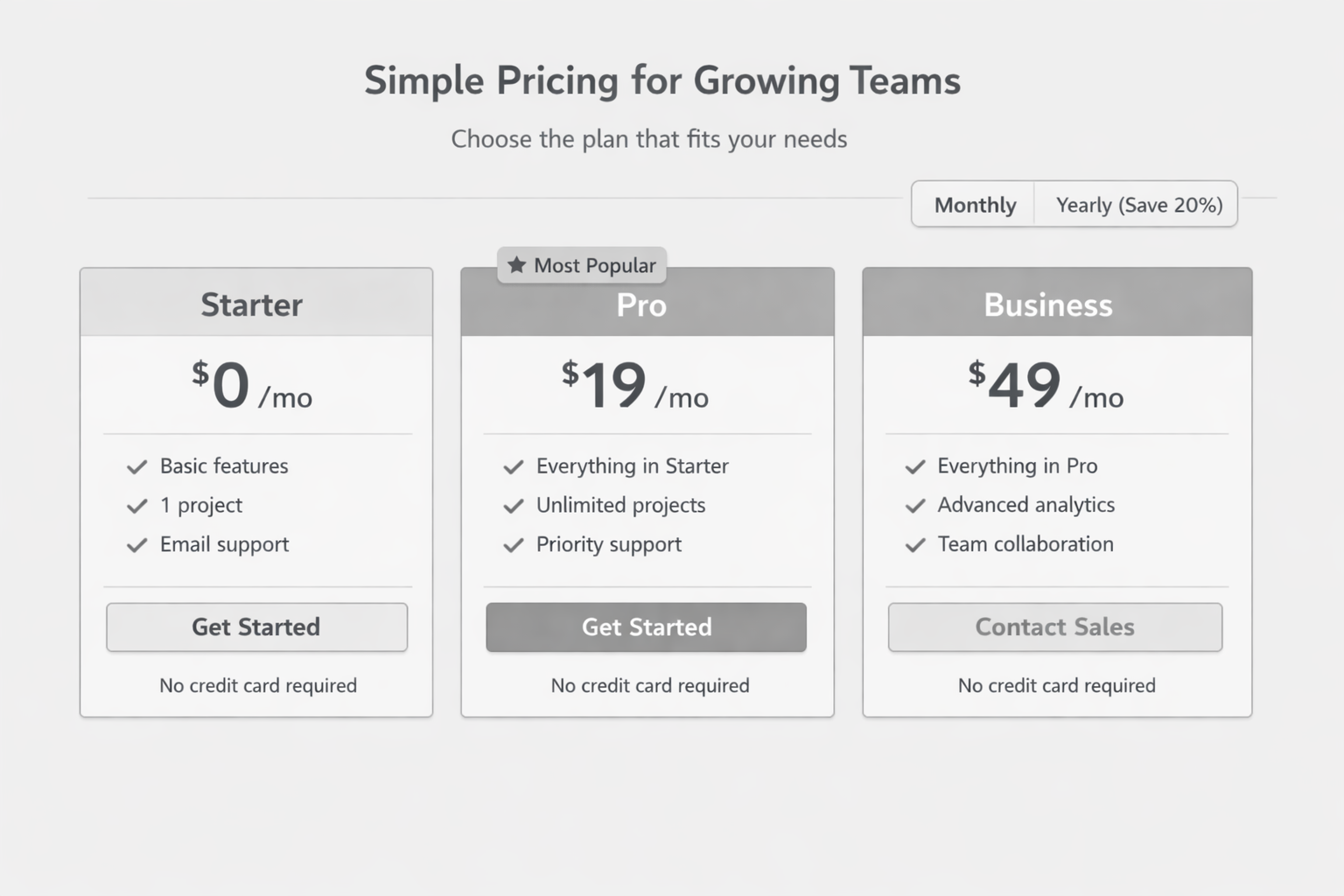
Before: pricing tiers with equal visual weight and no recommended plan
Before
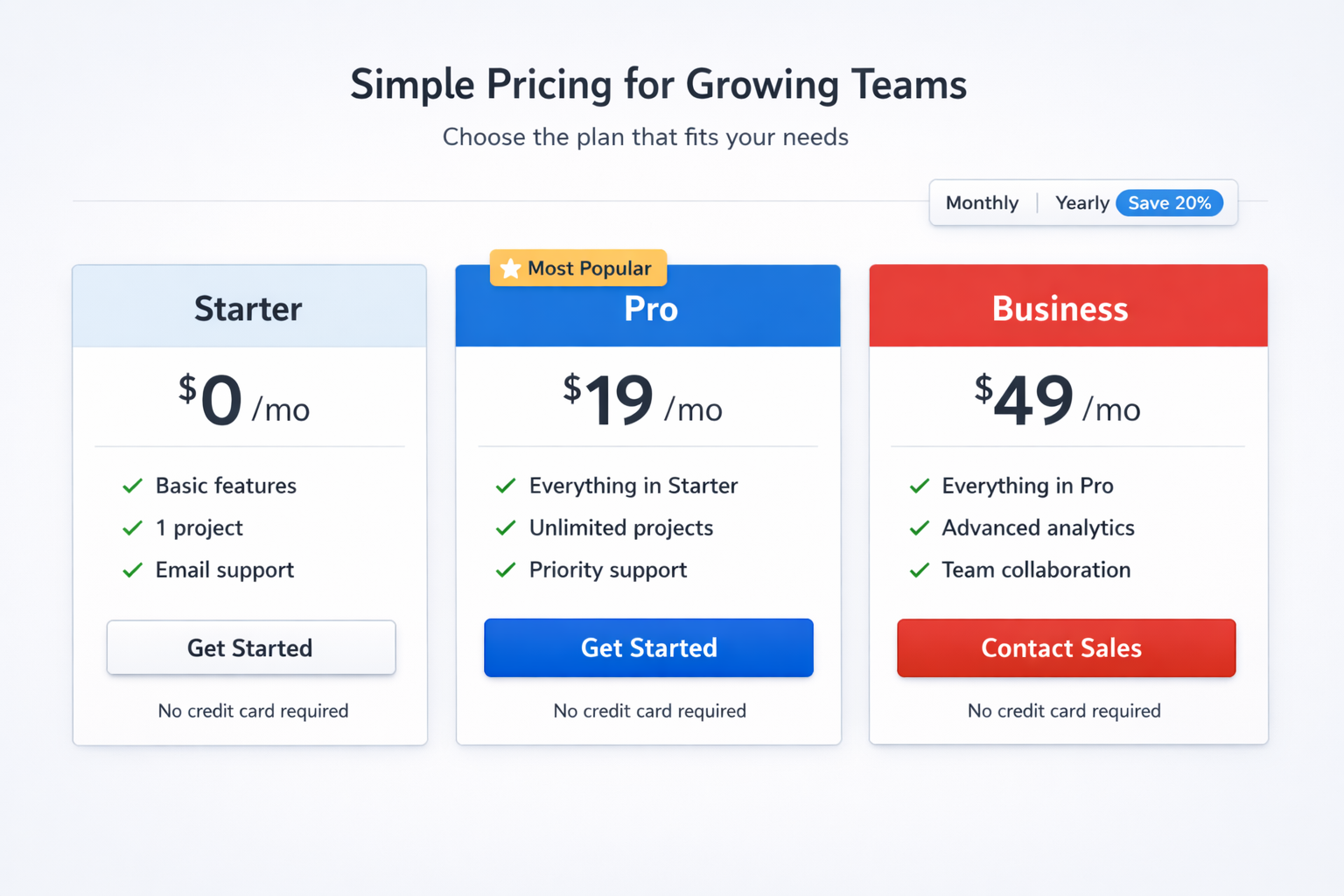
After: pricing tiers with a named recommended plan
After

Representative Example

Not a Client Project Audit Example Information architecture

Pricing hierarchy

  • Problem Three service tiers looked equally valid — so visitors stalled instead of choosing, and intake calls kept starting with “Which one do I need?”
  • What Changed Named a recommended tier, compared only decision-relevant differences, and moved full feature lists below the choice.
  • Result The pricing section could answer “which one is for me?” before the contact form.
Read the full pricing write-up →
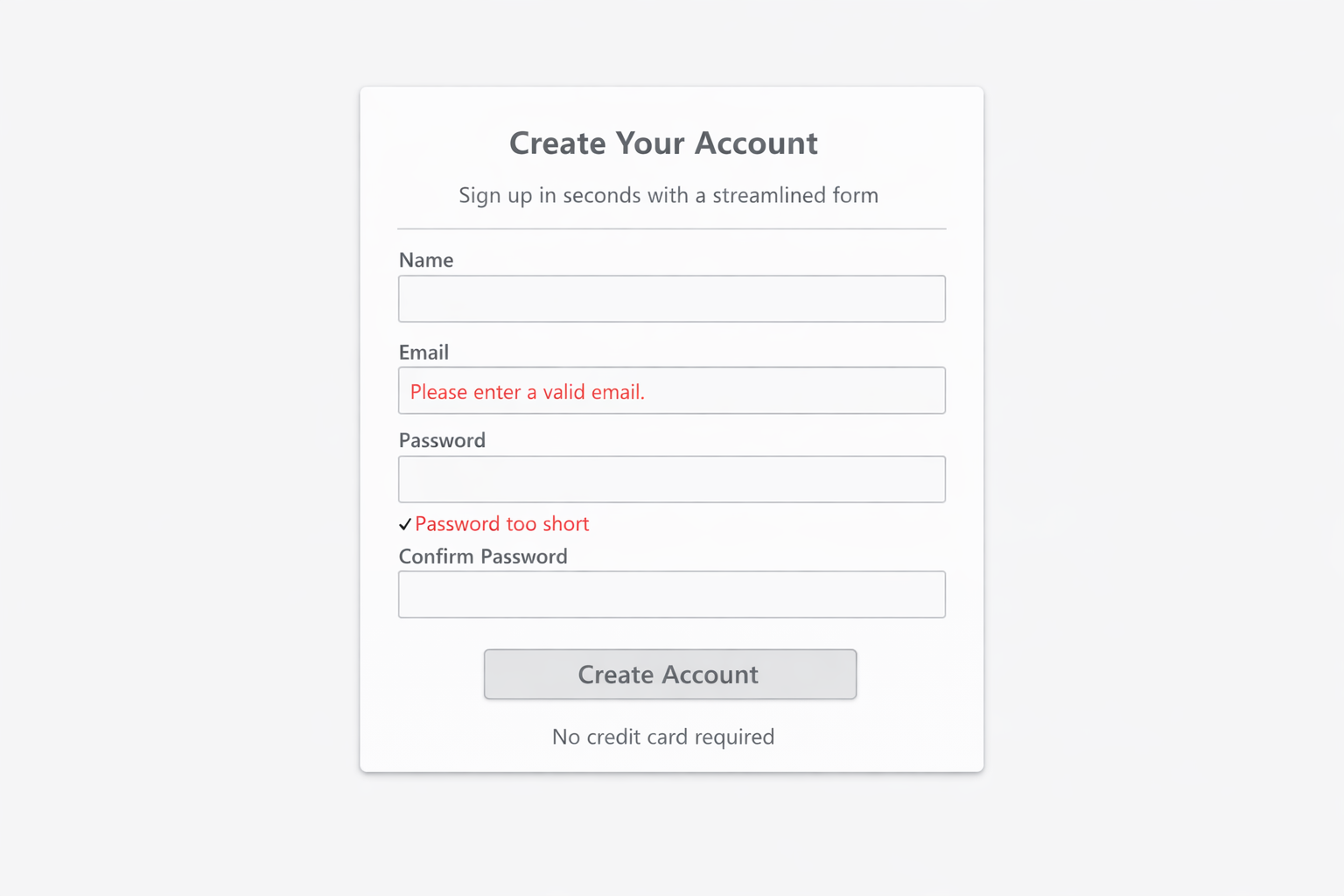
Before: form with unclear validation shown only after submit
Before
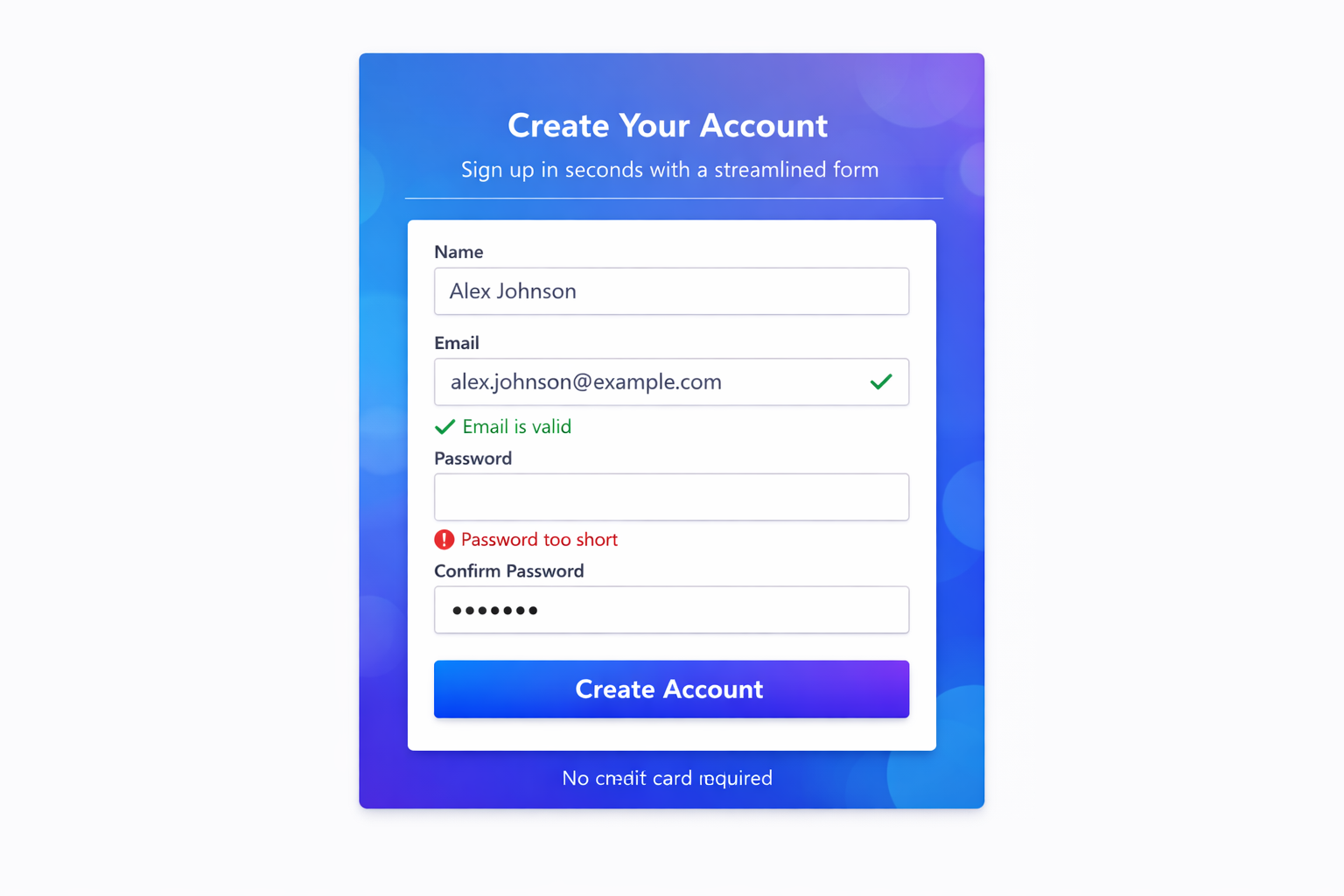
After: form with inline validation and clearer field feedback
After

Representative Example

Not a Client Project UX Example Audit thinking

Form validation

  • Problem People started the form but didn’t send it — errors only appeared after submit, and labels didn’t guide them.
  • What Changed Required fields marked upfront, inline validation as people type, and labels rewritten in plain language.
  • Result The form could carry an inquiry to the inbox without a guessing step at the end.
Read the full form write-up →
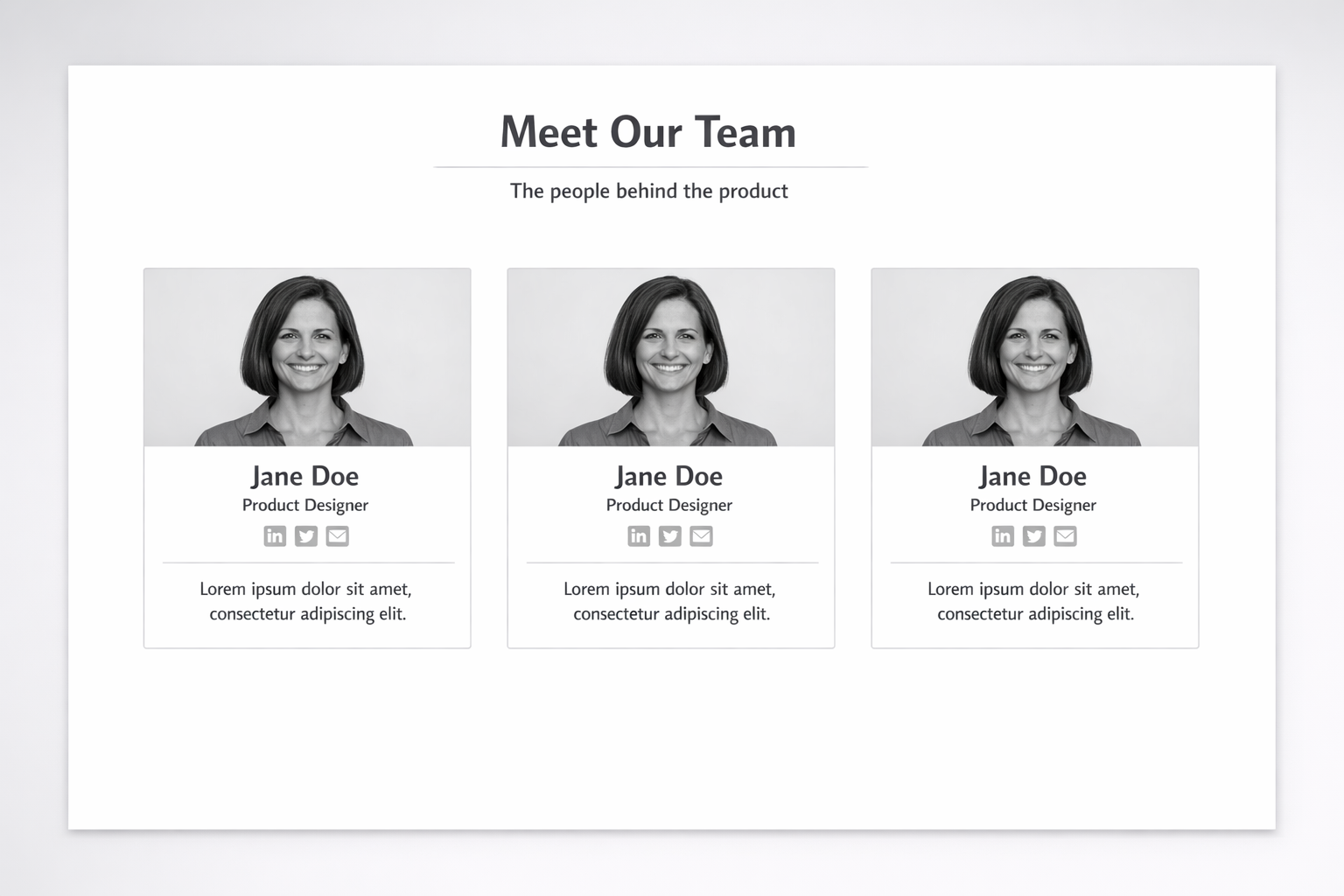
Before: team section with identical profile cards
Before
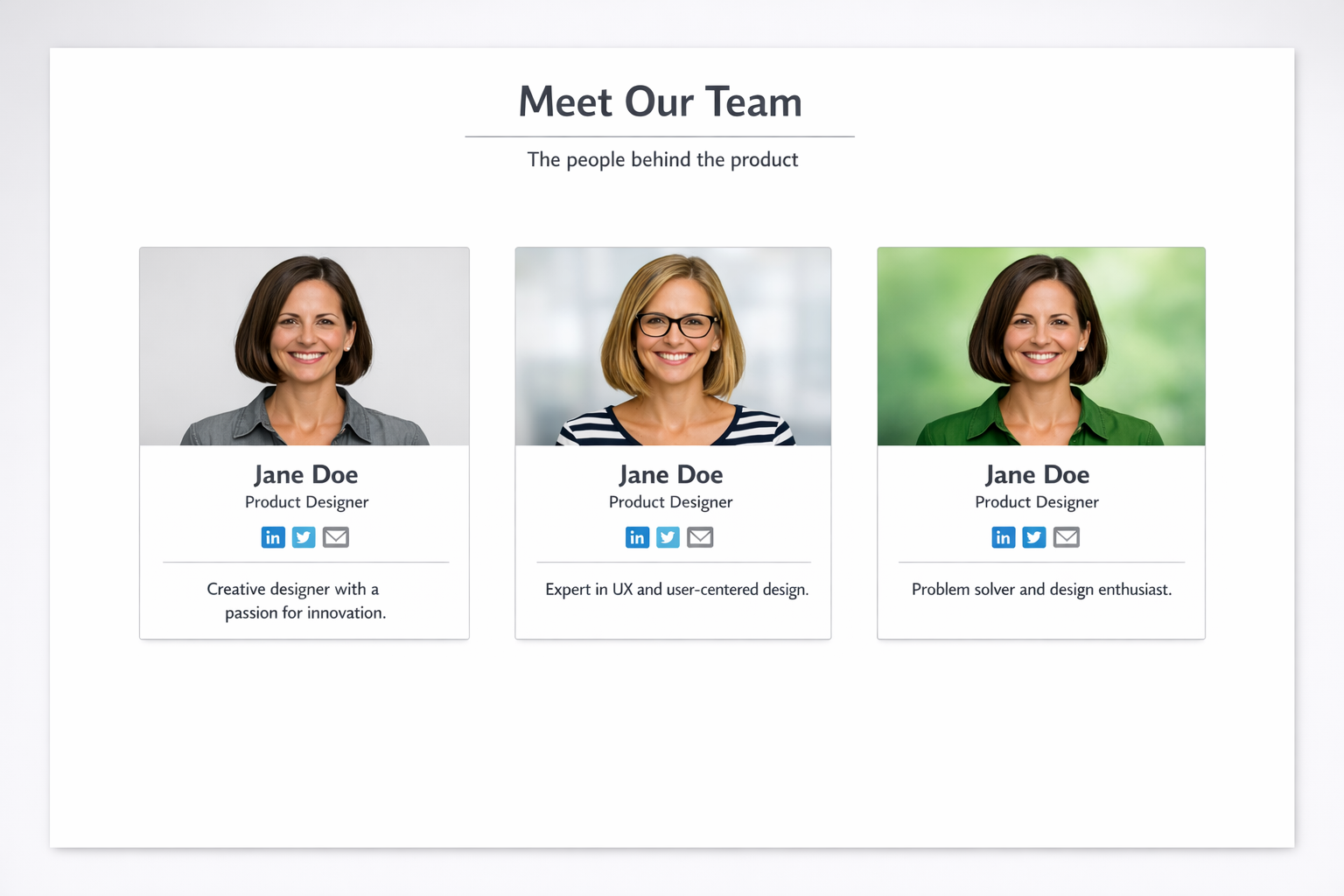
After: team section with differentiated roles and bios
After

Representative Example

Not a Client Project Trust Example Information architecture

Team & trust structure

  • Problem Visitors read the team page and still emailed asking who they’d actually work with — bios and roles didn’t build enough confidence.
  • What Changed Standardized bio format, named a primary contact first, and led with role and responsibility before credentials.
  • Result The team section could answer “who am I hiring?” on the page instead of in the inbox.
Read the full team write-up →

Credibility through honesty

Leah's Review Room is a real client project — permission, testimonial, and a live site you can visit. The representative examples show the skills and decision-making behind website audits, without pretending they were client engagements.

How I work

Structure first. Then design. Then the details.

Every engagement — audit or build — starts with what the visitor needs to understand, not with a mood board.

Structure

I organize content so the offer and next step are findable.

Design

Then I make hierarchy, type, and spacing support that decision.

Interaction

Forms, nav, and states get the same attention as the visuals.

Launch

You leave with a site that can be maintained — and a clear map of what we did.

Recognize any of these on your site?

A website audit names the problem, documents what I see, and tells you what to fix first — before you commit to a rebuild.